Most of us are familiar with steganography (stegano) who better to explain it then wikipedia:
Steganography is the art and science of writing hidden messages in such a way that no one, apart from the sender and intended recipient, suspects the existence of the message, a form of security through obscurity.
So who can guess what’s in the following picture:
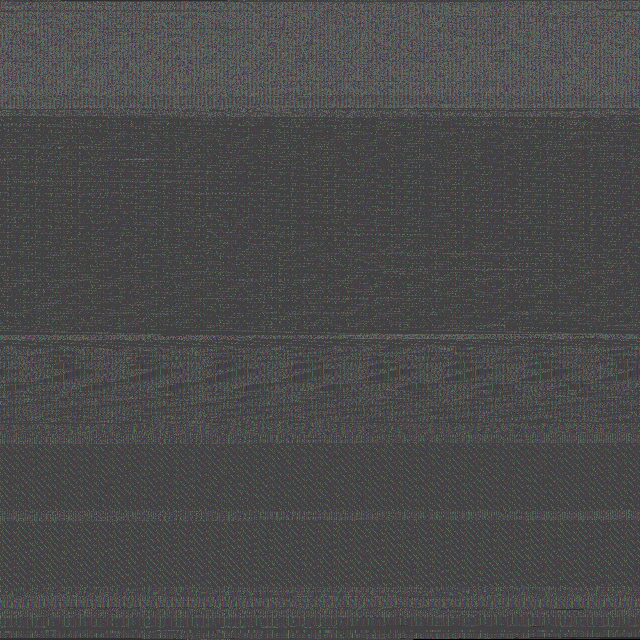
For the people skimming through the low bits…I’m sorry I wasn’t as sophisticated as most stegano tools out there. I decided to use the whole picture to transport information. Mind the usage of the word “transport”. I’m not trying to hide information with this little midnight thought project, I’m just trying to bypass most content filters in place at most corporations. In this case I’ve converted the Microsoft “pecoff.doc” (Portable Executable and Object File Format Specification) document into the above picture. So what’s going on here?
Well this is an example of code that performs file to image conversion in a very rudimentary way. The process steps are as follow:
- Read file bytes
- Base64 encode the bytes
- Create image from bytes
- Save image
Using this technique you could virtually send any data you’d like to any place without most filters denying you to do that. Since to the content filter the above is just a valid PNG, even though to the human eye it looks like garbage. To get the file back you just invert the process. Anyhow the current code is just a POC. When I first had the idea I was under the impression it would be fairly hard to accomplish, lucky for me python is a great language to do quick POC thingies. You can find the code and resources used while doing this below. As usual the code is also available on pastebin.
Code
#!/usr/bin/env python
#Author: DiabloHorn https://diablohorn.wordpress.com
#POC file2image, to bypass webfilters and other content type scanning engines
# Thanks to Animal for answering questions at 4AM and polishing up midnight thoughts internals

import sys
import os
import math
import base64
from PIL import Image

def getfilebytes(filename,offset=0,maxsize=1048576):
 """
 Get bytes from source file
 place a 1MB restriction
 """
 fo = open(filename,"rb")
 fo.seek(offset,0) #seek from current file position
 data = fo.read(maxsize)
 fo.close()
 return (len(data),data)

#calculate pixel dimensions based on size
def getpixsize(size):
 width = height = int(math.ceil(math.sqrt(size/3)))
 diff = int(((width * height) * 3) - size)
 return (width,height,diff)

if __name__ == "__main__":
 filename = sys.argv[1]
 oimgname = "img.png"
 filesize = os.path.getsize(filename)
 #let's start file->image
 #get the file bytes
 (bytesread,rawbytes) = getfilebytes(filename)
 #encode them using base64
 encodedbytes = base64.b64encode(rawbytes)
 del rawbytes
 #get the size of the image necessary to hold our file
 (w,h,d) = getpixsize(len(encodedbytes))
 print "width: " + str(w)
 print "height: " + str(h)
 print "diff: " + str(d)
 #pad to needed length if necessary
 if d > 0:
 for i in range(d):
 encodedbytes += ('\0')
 print "Filesize: " + str(filesize)
 print "Padding: " + str(d)
 print "Finalsize: " + str(len(encodedbytes))
 #create the image using our base64 encoded bytes
 imc = Image.frombuffer("RGB", (w,h), encodedbytes,"raw","RGB",0,1)
 #save the image
 imc.save(oimgname)
 #Here we reverse the process we go from image->file
 imo = Image.open(oimgname)
 fr = open("output","wb")
 #get our file data
 rawdata = list(imo.getdata())
 tsdata = ""
 #let's get it back in base64 format and decode it
 for x in rawdata:
 for z in x:
 tsdata += chr(z)
 decdata = base64.b64decode(tsdata)
 del rawdata
 #decoding done, let's write the file
 for a in decdata:
 fr.write('%c' % a)
 fr.close()
Resources
http://www.pythonware.com/library/pil/handbook/image.htm
http://www.python.org
 DiabloHorn
Heya Aaron,
Because the wordpress support for code samples isn’t well…very good. I try to use pastebin as an alternative for the people that want to copy/paste without having the worry about indentation.
Very nice, although- why is your code not indented (at least visually)?
Awesome blog entry DiabloHorn, I liked it a lot :-) The amount of detail is great and sufficient ;-)